

How to build a high-performing keyword strategy in an AI-driven PPC landscape.
As Google leans further into AI-powered ad formats like Performance Max and AI Max, many marketers wonder whether traditional keyword lists still matter. The answer is a definitive yes! In fact, keywords remain the backbone of successful paid search campaigns — even Performance Max quietly relies on them via Search Themes, meaning your keyword strategy directly influences how Google interprets your intent.
From launching new paid search campaigns to scaling traffic from existing terms, this guide covers the most effective, up-to-date keyword research techniques for PPC success across ecommerce, lead generation, B2B, and regulated industries.

How To Do Keyword Research for PPC:
Step 1: Get Immersed in Your Topic
Before touching a tool, align on the fundamentals:
- What exactly are you advertising?
- Who is your audience?
- What pain point or intent motivates them?
- Which competitors appear in the search landscape?
- What nuances or jargon matter in the category?
This context keeps your keyword decisions focused on meaningful user intent, not just raw volume.
Step 2: Start With Manual SERP Exploration
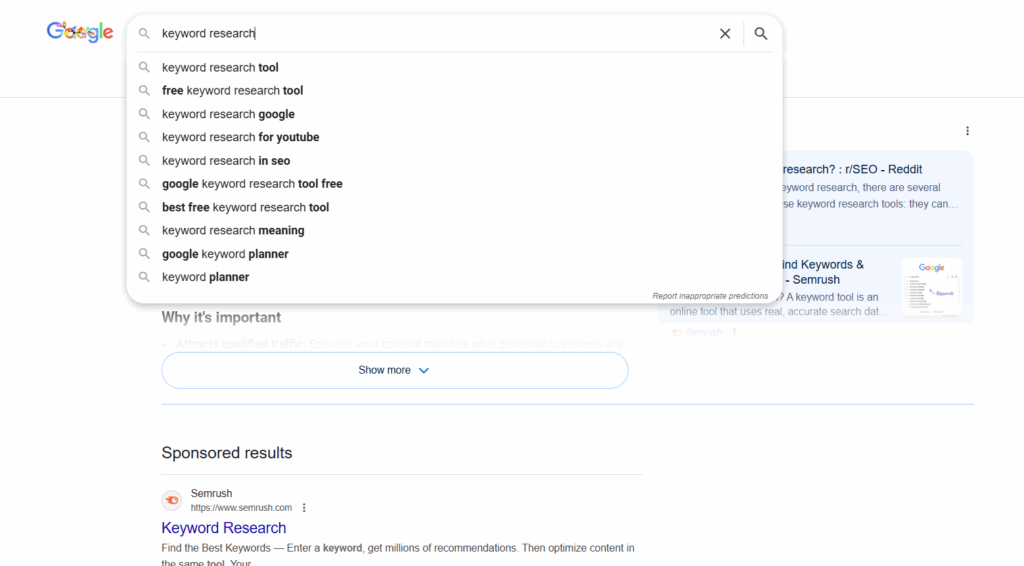
Your own search behavior is one of the most underrated keyword research tools. Test some searches and take note of:
1. Google Autocomplete
These suggestions are one of the best windows into:
- High-demand concepts
- Common modifiers
- Adjacent intents
2. Paid Results
If competitors are bidding:
- What terms do their ads imply they’re targeting?
- How do they position themselves?
- Are they isolating branded versus non-brand search?
3. Organic Results
If no ads show:
- Scrape relevant phrasing from top-ranking organic pages
- Analyze metadata and headers
- Identify semantic patterns Google associates with the topic
This hands-on exploration sharpens your understanding before you rely on any tools.
Step 3: Analyze Competitors With Paid Search Tools
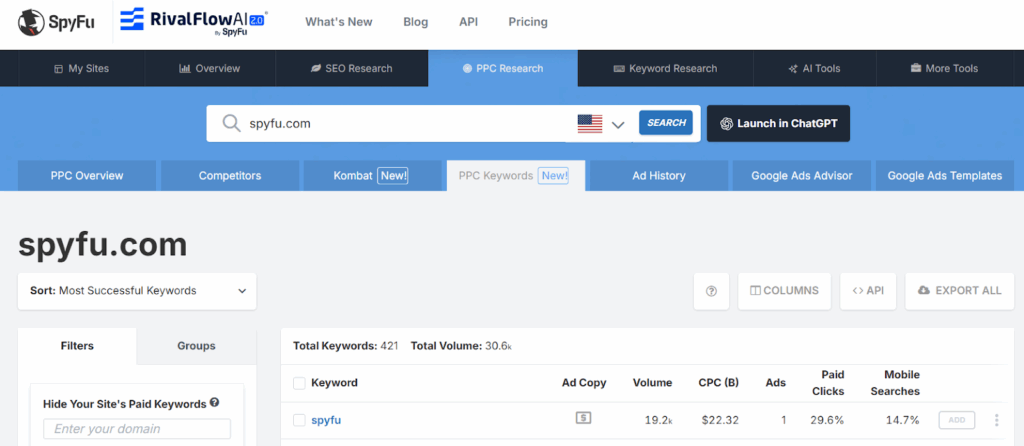
After your manual search, you can employ tools like SEMRush or SpyFu to uncover:
- Competitors’ paid keyword lists
- Their estimated budgets and CPC patterns
- Gaps where no one is bidding
- Variations not obvious from manual searching
These won’t paint a perfect picture, but they help outline the competitive landscape.
Step 4: Build Your List Using Google Keyword Planner
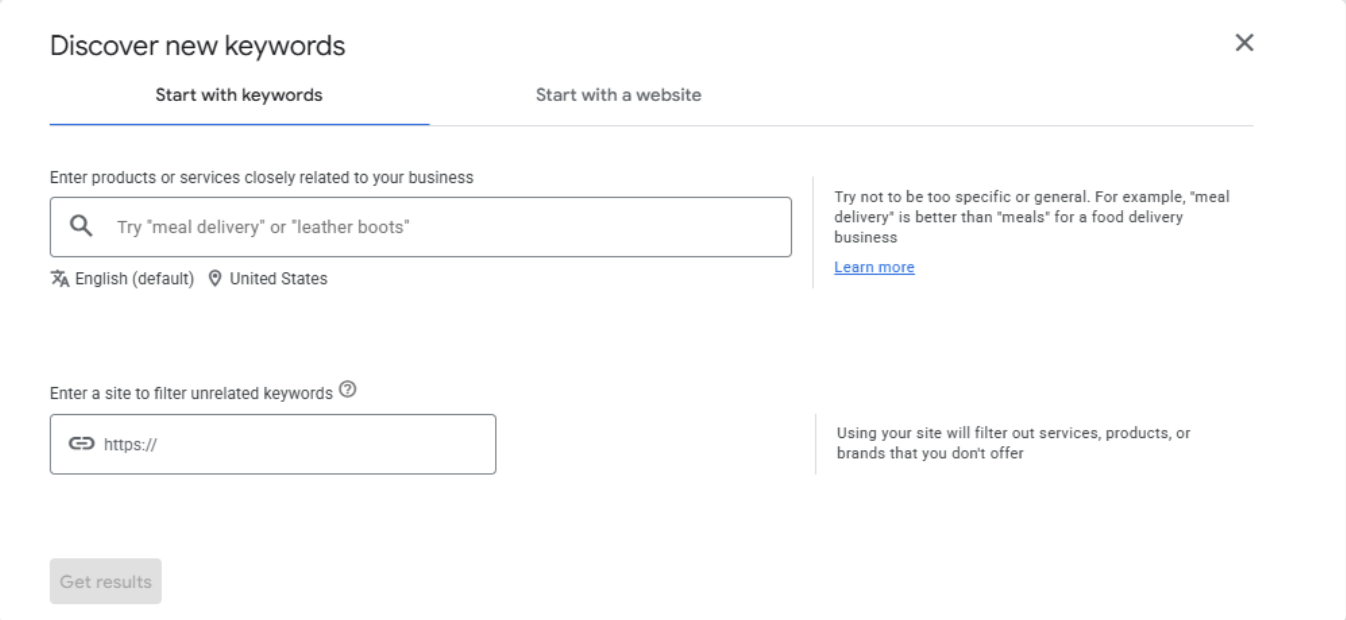
Once you have the fundamentals of your topic nailed down, you can begin using a keyword planner. Google Keyword Planner remains the most reliable source of keyword volume and cost data, though there are others out there (like Bing’s, for example).
Aside from giving the volume of monthly searches, Google also provides a few key metrics for building an actual campaign with your keywords.
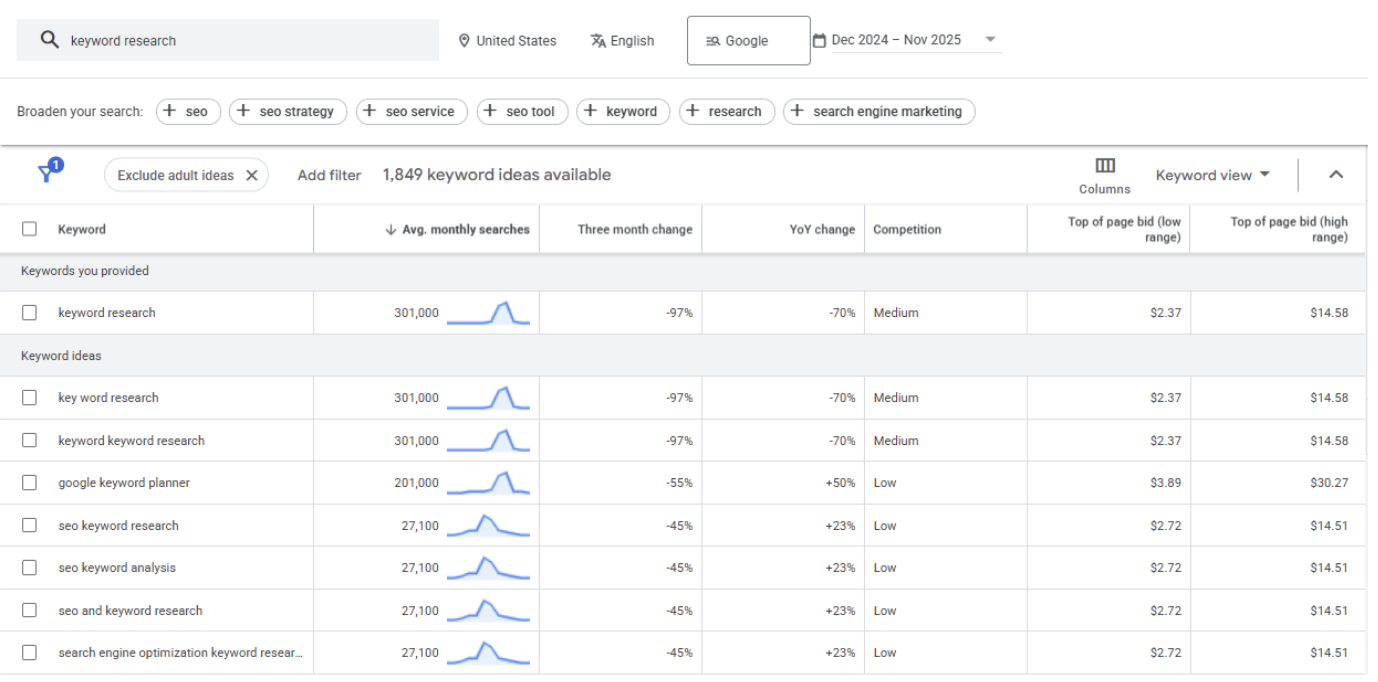
When evaluating keywords, prioritize the following metrics:
1. Search Volume Trendline
Shows whether a keyword is rising or declining.
2. 12-Month YoY and 3-Month Delta
Critical for spotting seasonality or emerging search behavior.
3. Competition Levels (Low / Medium / High)
Directionally useful for forecasting cost intensity.
4. Top of Page Bid Estimates
These are essential for budgeting and managing expectations.
Step 5: Troubleshoot Keyword Planner Gaps
If Keyword Planner isn’t generating enough ideas, you have options! Here are some strategies you can try to get more out of the tool:
Broaden your seed terms
Strip down to core concepts, and then build outward. If you go too niche too quickly, your list will be limited.
Use tightly focused landing pages
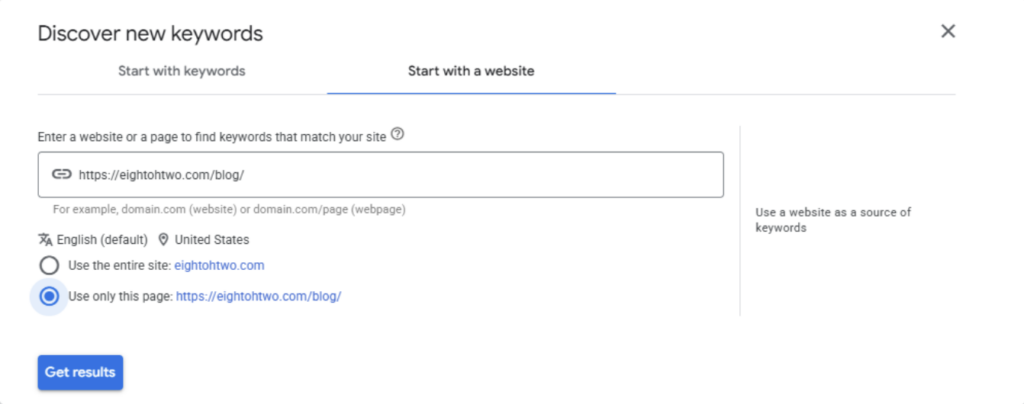
Avoid letting Google crawl your entire domain—select “Use only this page.”
Mine organic listings
Often, third-party content is more semantically structured than brand-owned pages. This can be a more natural field to mine for keywords.
Explore adjacent topics
Sometimes Google needs a broader conceptual anchor to understand your niche. Find the overlap and you’ll be on your way!
Step 6: Navigate Policy-Restricted Topics
Google can be strict, depending on your topic/product. Regulated or sensitive categories (firearms, supplements, health, financial services, etc.) often hit policy limitations. This may yield very few or absolutely no keywords at all in Keyword Planner. In this case, you have to get creative with your approach.
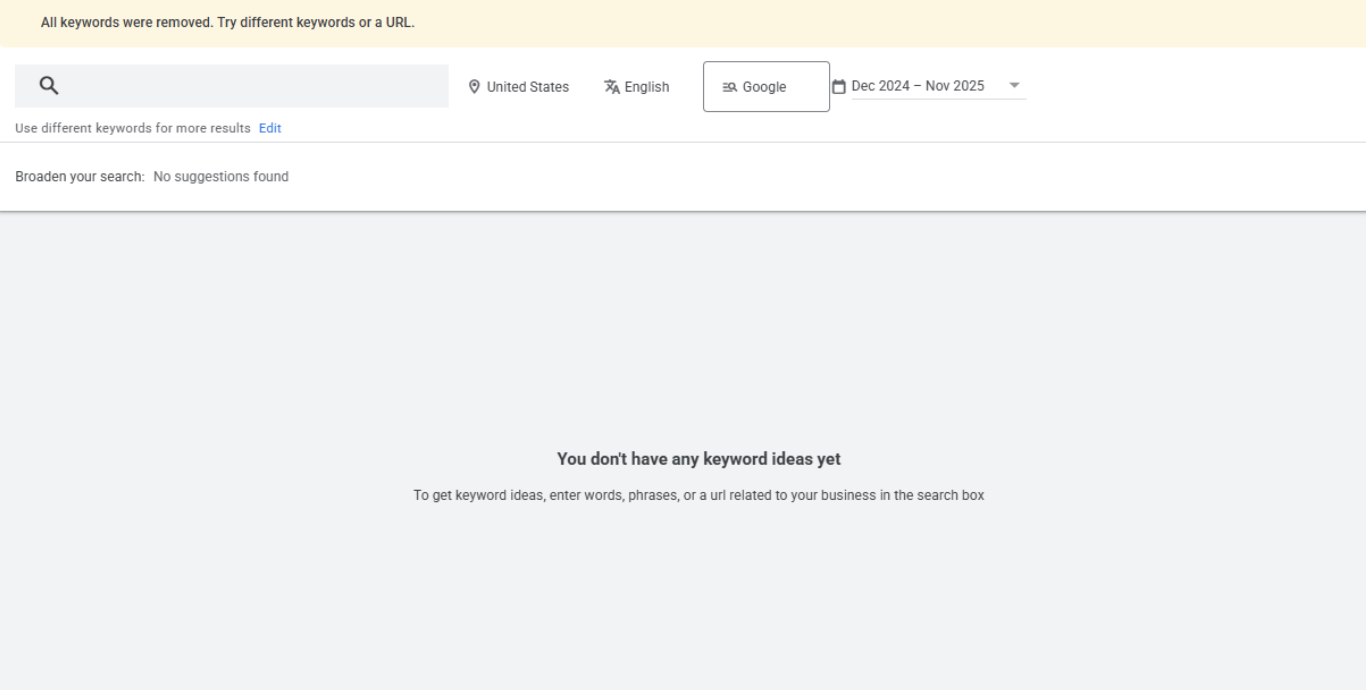
When Keyword Planner shows zero results:
- Test keywords one by one to identify what triggers policy flags
- Build around permitted language
- Use phrase or broad match to let Google infer intent
- Use ChatGPT to ideate policy-safe variations
- Validate demand using Google Trends, which is not tied to ads policy
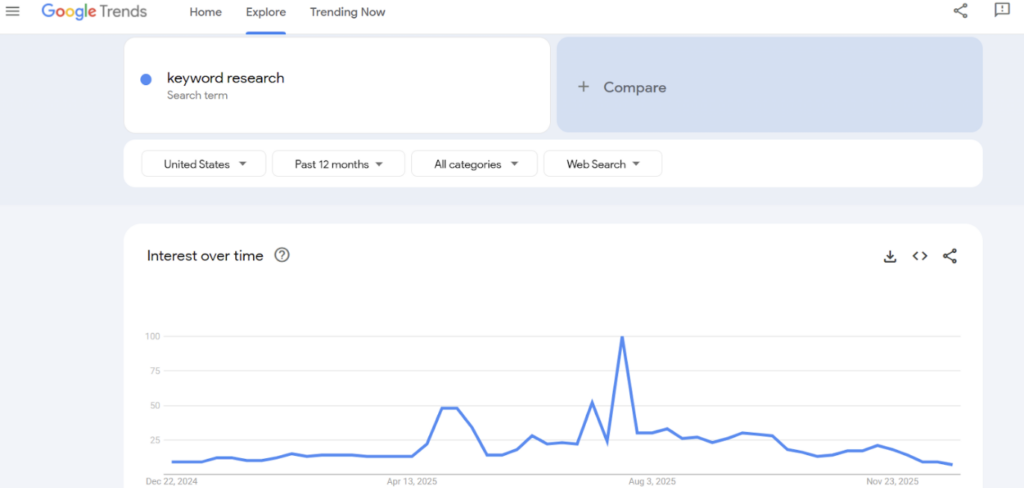
Pro Tip: Keywords blocked in Keyword Planner are often still eligible in the actual Google Ads UI. We’ve seen this repeatedly across accounts.
Step 7: Explore Zero-Volume and Low-Volume Keywords
Don’t be afraid to add relevant keywords that don’t show volume on the keyword planner. Especially if you’re planning on generating more demand for your product/topic through other channels, you’ll want to have targeted keywords in place on paid search to capture that demand.
Zero-volume keywords can still perform when:
- Demand is building (new products)
- Your upper funnel is strong and driving fresh searches
- Google’s data is lagging behind real user behavior
- You’re in a local or niche vertical
Including these terms helps your account capture demand spikes the moment they occur.
Step 8: Assign the Right Match Types
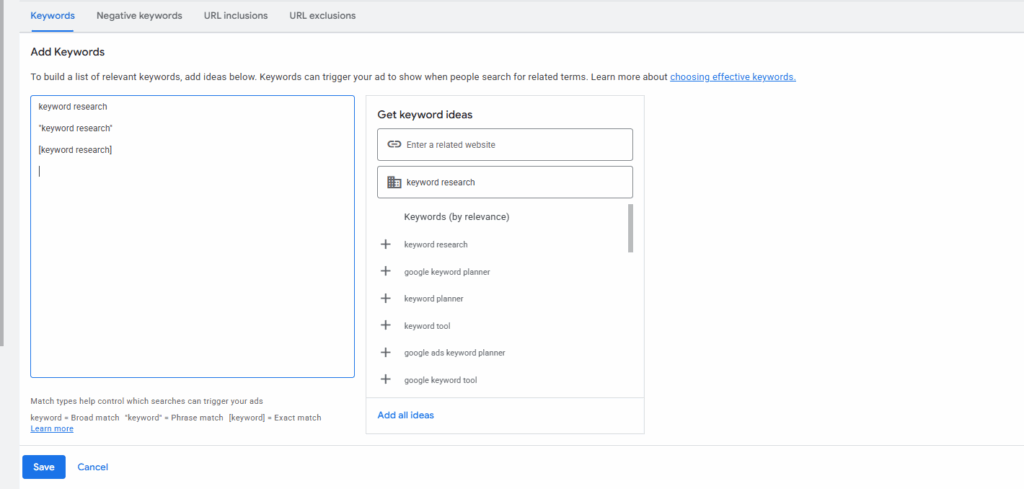
Now that you have a set of keywords, you’ll need to assign match types. The volume metrics given by the Keyword Planner or Google Trends can help you decide whether to limit traffic with exact match or expand it using phrase or broad match. For an in-depth look at how to maximize the efficiency of Google’s AI-powered Broad Match keywords, check out our Broad Match case study and results.
Your match type strategy determines how much control you maintain.
Exact Match
Best for:
- Highly specific intent
- High efficiency goals
- Brand protection
- Verticals/advertisers with high CPC sensitivity
Phrase Match
Ideal for:
- Expanded reach with moderate control
- Capturing long-tail variations
- Lead gen campaigns with clear qualification criteria
Broad Match
Powerful when:
- You have strong conversion data feeding the model
- You want maximum scale
- You use smart bidding (Target CPA/ROAS)
- You trust Google’s AI to interpret intent
Step 9: Launch, Learn, and Refine
Your initial keyword list is a baseline, not a final strategy. Once you publish your campaign, you’ll need to refine your keywords. Google is using historical data to predict how keywords will behave but search behaviors and the competitive landscape are always changing.
After launch:
- Review search terms for emerging opportunities
- Identify irrelevant search terms and add them as negative keywords
- Add new themes surfaced by machine learning
- Adjust bids and match types based on performance
- Revisit competitor activity quarterly
Search behavior evolves constantly. Your keyword strategy should too.
Conclusion: Strong PPC Keyword Research Is a Strategic Advantage—Even in an AI World
Even as Google automates more of the auction, keywords remain the clearest way to communicate user intent to machine learning models. They help shape your campaign structure, guide Performance Max, and ensure your budget aligns with real demand.
Mastering keyword research is still one of the most valuable skills for a PPC marketer. With the right approach, your keyword strategy becomes competitive — one that AI alone can’t replicate.
Are you running into roadblocks with your keywords? Eight Oh Two has the solution. Our proven strategies and innovative technology will help you expand your reach and maximize your efficiency. Contact us today to learn more.