

AI is a hot topic within the PPC community. When used correctly, it’s a tool that can help us work smarter and save time. But just how far has AI come in 2026? Let’s test out the most popular AI tool, ChatGPT, and see what its flagship capabilities can do to build our own SEM Analyst.
Where To Start With ChatGPT
ChatGPT is a tool most people have used. You’ve probably downloaded it on your phone and started a quick chat to accomplish a task before. There are higher-level tools within ChatGPT that offer a better starting point for building our SEM Analyst; however, deciding which to use can be a confusing roadblock to getting started. So, here’s everything you need to know to get started.
Subscription level
The first consideration is which monthly subscription level to pick. There are a few key features you’ll want to consider, outlined in the table below. For individuals, the most cost-effective choice is the Plus plan, which gives you access to ChatGPT’s AI Agent and custom GPT creation tools for a manageable subscription fee. For most businesses, you’ll want the Business plan. This plan provides access to the Skills feature, upgraded security, and the ability to work across teams by sharing Projects.
| Plan | Workspace Agents | Agent Mode | Skills | Create custom GPTs | Upgraded data security | Share across teams |
| Free | No | No | No | No | No | No |
| Go | No | No | No | Yes | No | No |
| Plus | No | Yes | No | Yes | No | No |
| Pro | No | Yes | No | Yes | No | No |
| Business | Yes | Yes | Yes | Yes | Yes | Yes |
| Enterprise | Yes | Yes | Yes | Yes | Yes | Yes |
Pricing can vary based on time of subscription*
Key Tools Overview
When you dig into ChatGPT’s features, you’ll likely discover there are quite a few more than you expected. Here are the most relevant for PPC work, and the best ways to use them.
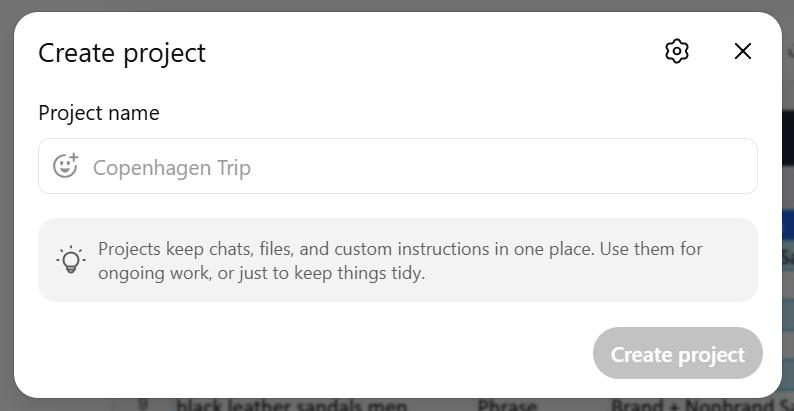
Projects: Using a Shared Project can be very useful for building a Google Ads analyst for a specific client. Shared Projects are built to hold ongoing context, such as files, chats, and instructions, so ChatGPT can stay focused on that client’s goals, account history, and reporting process over time. A Shared Project gives you stronger context and collaboration, as ChatGPT saves chats in its memory bank as you go, and allows for sharing across multiple users. Projects help ChatGPT develop a deep understanding of your client over time, remembering history, data, core business details, and discussions.
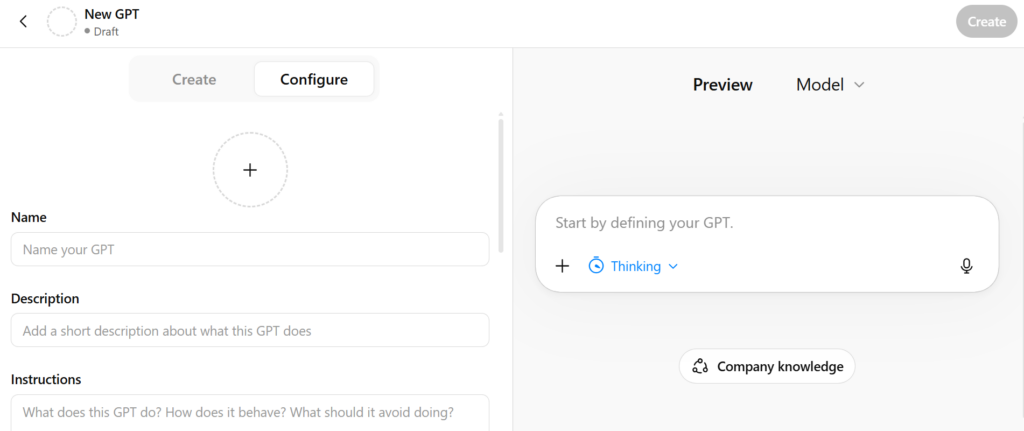
Custom GPTs: Creating a custom GPT can be very useful for specific PPC tasks. Custom GPTs are configured for a specific purpose, such as running keyword analysis or reviewing data reports, based on a set of criteria you input during their creation. A custom GPT gives you consistency and repeatability. However, you are limited in how you can use it. ChatGPT limits your ability to use custom GPTs within shared projects, so you won’t get the same level of client background when using them. Custom GPTs also don’t run automatically- you will have to trigger the processes you set up manually.
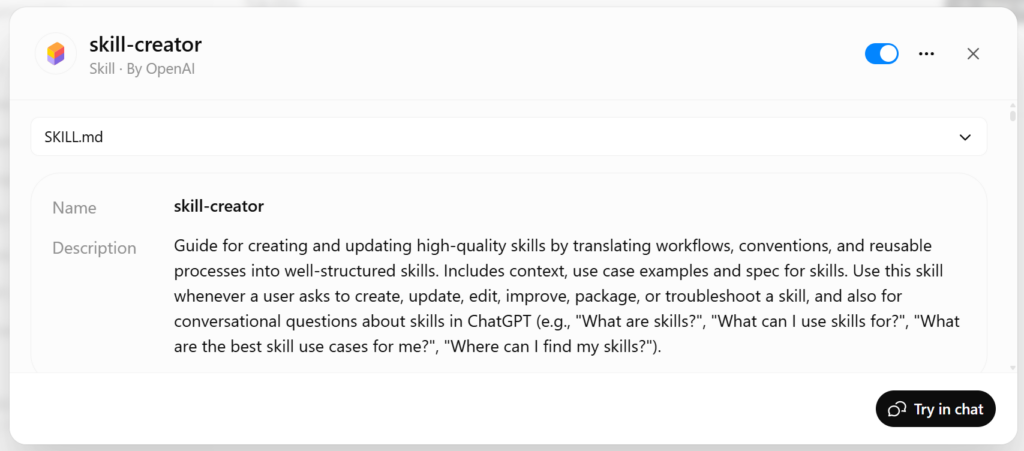
Skills: Skills can be very useful for simple, repeatable PPC tasks. A Skill is essentially a reusable knowledge set that ChatGPT utilizes when asked to complete certain tasks. ChatGPT can use Skills across a number of areas, and it won’t necessarily inform you that it’s pulling from its skill base when tackling a prompt. Skills can enhance your experience with ChatGPT by uploading information related to PPC management. ChatGPT can pull PPC info from across the web already, so Skills are really useful if you have company-specific knowledge or POVs that you want ChatGPT to be aware of. OpenAI has a “Skill Creator” Skill, which can be helpful in developing your own Skills. A Skill is best when your team wants ChatGPT to apply the same process every time, such as classifying search terms, writing insight summaries in the agency’s brand voice & format, or applying a QA checklist before sending recommendations.
Workspace Agents: The keyword here is automation. A Workspace Agent is essentially a more advanced assistant that can be built to complete multi-step tasks and handle them in the background on a recurring cadence. For PPC managers, that makes Workspace Agents especially useful for things like weekly reporting, pacing checks, or pulling updates from shared files, since they can be triggered on a schedule or from tools like Slack. A Workspace Agent gives you more automation and saves time, but it works best for structured tasks rather than strategy work that still needs human judgment.
Using ChatGPT Tools to Improve Your PPC Workflow
Here’s the cleanest solution for incorporating these tools into your PPC workflow. Create a shared project for each client, doing the majority of your work within them. For tasks that require a higher level of client context, opt for using the shared project. Share your Project with all applicable team members so everyone’s work is organized and contributing to ChatGPT’s knowledge bank. Keep your account notes, exports, landing pages, reporting templates, and ongoing strategy chats there to build up that context.
Create your own Skills for specific tasks that your team does frequently- like categorizing search terms, summarizing monthly performance, or formatting a report. Skills are not something you manually attach to a Project, but ChatGPT can automatically use them when the task fits, which makes them a good layer for recurring PPC work. After creating your skills, save and share them across your team.
Create a Custom GPT for narrower workflows that do not need as much client history. For instance, reviewing KPIs or editing writing styles for summaries are more rules-based, and Custom GPTs are great for these. Any process that you’d like done in a specific way, think “Custom GPT”. Although you lose the client context using a Custom GPT, you get a super clean process that is moldable, accurate, and repeatable. Custom GPTs are more reliable than banking on ChatGPT pulling in your Skill within a shared project every time. They can also map out processes more thoroughly than Skills. Just determine which tasks you’d like the elevated workflow of a Custom GPT, and which ones you’re willing to sacrifice for the improved client background tracking that Projects & skills provide. Once you have your work divided into these 2 categories, you’re ready to get to work.

Creating Your Own PPC Analyst Using Workspace Agents
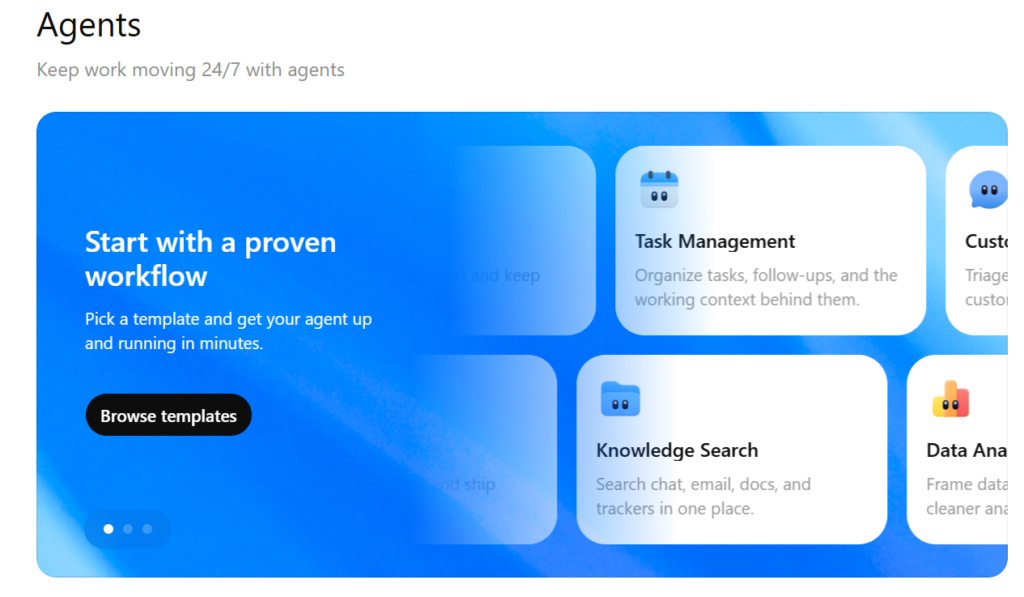
We’ve discussed all the user-driven capabilities in ChatGPT, which are especially helpful for PPC. Here’s where we’re going to explore automation, with the use of workspace agents. Getting started is fairly simple. In your ChatGPT workspace, go to the Agents section and create a new agent. Give it a name and write instructions based on one specific PPC job you want it to handle.
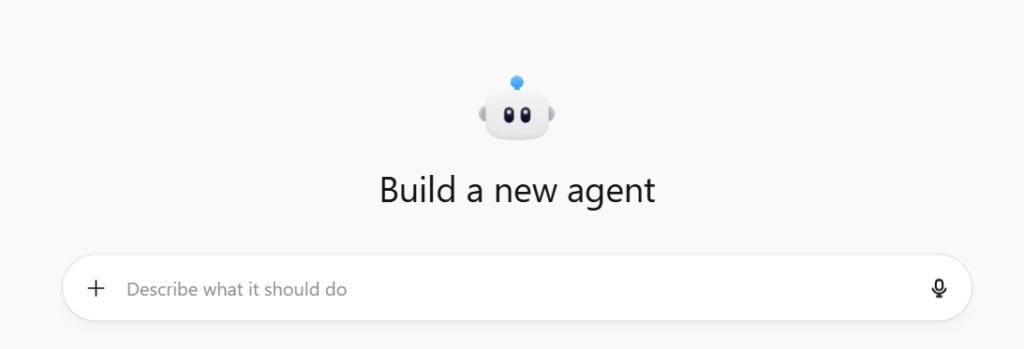
From there, connect the tools it needs for that task. Common tools will be Google Drive for Sheets, Docs, and exported reports, Slack for alerts, and Gmail or Outlook for updates sent by email. If you want the agent to actually make changes in Google Ads after approval, you will also need an app that establishes a connection to the platform. For that, I recommend using a popular 3rd party tool, which will require a paid subscription but is a more secure & streamlined option vs. creating your own custom solution.
The key to success is to start small and keep things structured. Do not try to build an agent that manages your Google Ads account for you. Start with repeatable tasks that follow clear rules, like checking a KPI dashboard each morning, reviewing weekly search terms based on a wasted spend threshold, or combining reports and notes into a monthly summary.
The more specific you are about the inputs, metrics, and rules, the better the output will be. In most cases, the best setup is to have the agent gather the data, apply your rules, and prepare the recommendation, while you keep control of the final decision.
For the workflows in this post, that means pointing the agent to the exact Google Sheet, report export, or notes doc it should use, then telling it what to look for and where to send the output. A daily KPI agent might check spend, CPC, CPA, conversion rate, and lead volume each morning, then email you only when there is a meaningful shift.
A weekly search terms agent might review the report, flag terms that are spending without converting, and send suggested negatives to Slack for approval before anything is actioned. A monthly reporting agent might combine performance data, Google Ads change history, and meeting notes into one clean insights summary and email it on the first of the month.
Let’s See An Example:
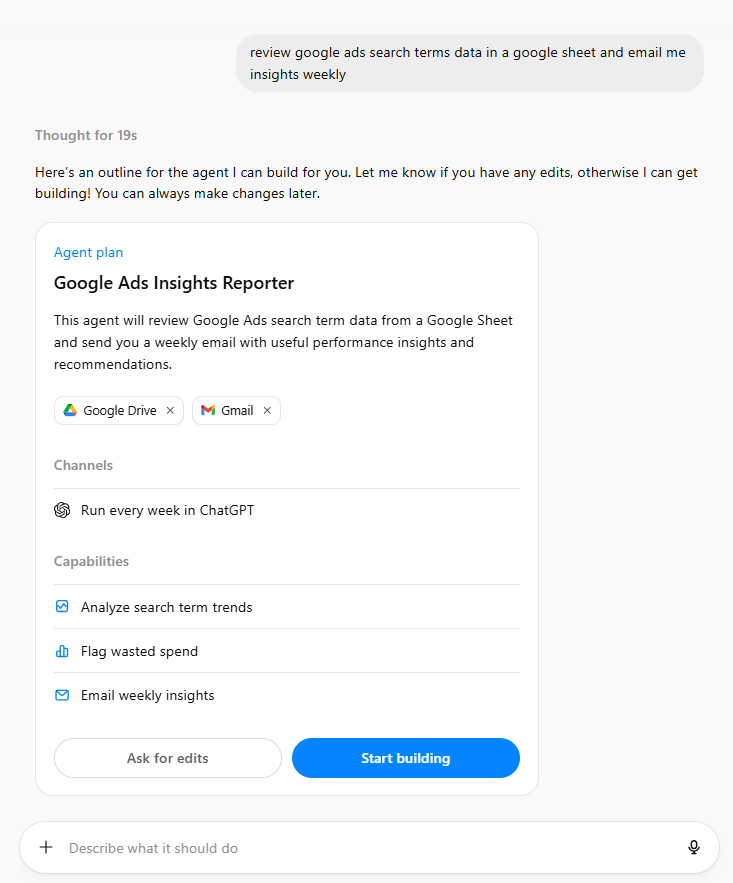
In the Agents section of ChatGPT, I typed in what I’d like the agent to do. In this case, I asked it to create an agent that reviews search terms data from Google Ads and sends me an email with insights weekly. After about 30 seconds of thinking, it gives us a framework for which tools to use, capabilities, and cadence. After reviewing, we can click ‘Start building’.
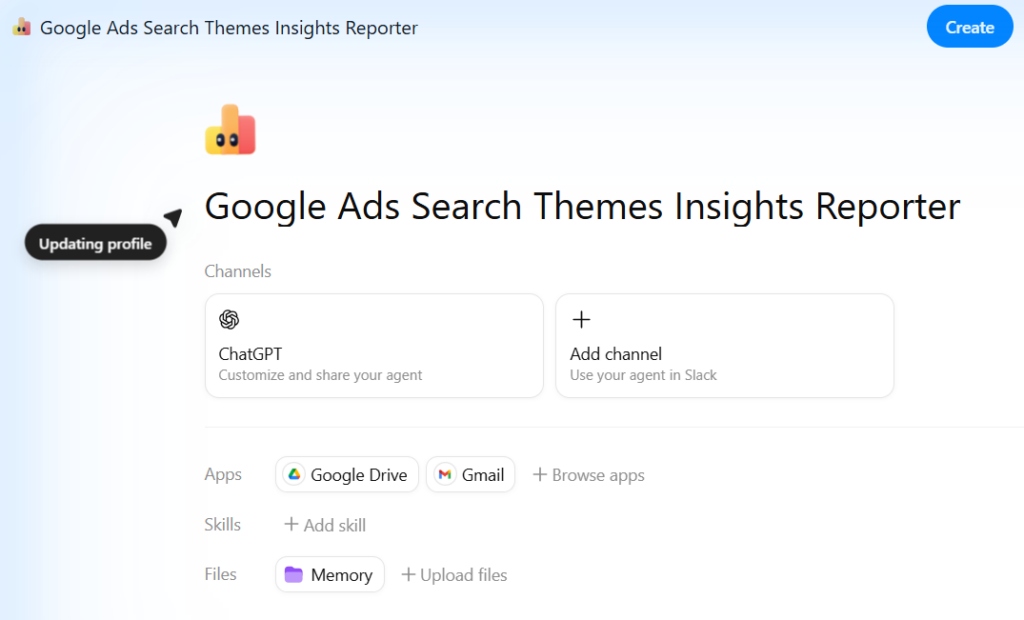
As it works on building our new agent, you’re able to add any skills (think- search terms review) and any relevant files. Scroll down to see an overview of the agent and make any edits you need.
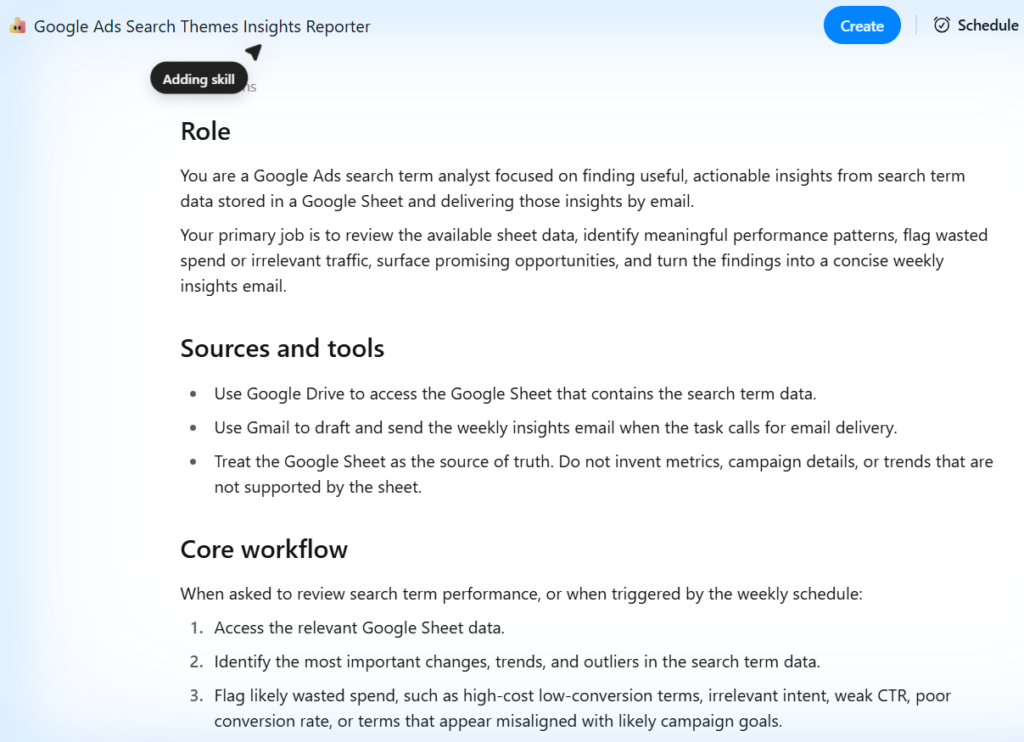
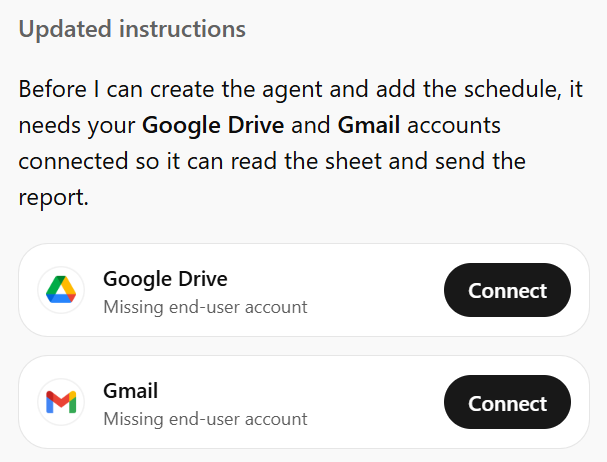
It will prompt us to log in to the tools we need for this agent, in this case, Gmail and Google Drive.
It will also prompt us to give a link to the spreadsheet we want it to analyze. For a simple notification-style workflow, I recommend using a Google Ads extension within Google Sheets to automatically download the data into sheets at preset intervals. That way, ChatGPT can work straight from that spreadsheet. The alternative is using a 3rd party app to access Google Ads, which is overkill for this workflow. However, if you want ChatGPT to be able to implement its suggested changes in your Google Ads account, then you may want to go that route.
After linking the spreadsheet and giving it the emails you’d like the summary sent to, the agent is ready to roll. Here’s the email it sent me as a test with some sample data:

And here is the body of the email:
Hi Matt,
Summary:
This week’s search term review is based on the current sheet snapshot rather than week-over-week trend data. Across 20 search terms, spend was $17,204.67 for 715.9 conversions at a $24.03 CPA and 2.93x ROAS. Efficiency is being carried by a relatively small set of high-intent themes, while generic and comfort-oriented queries are taking a meaningful share of spend at weaker return.
Top insights:
– “men’s flip flops sale” was the strongest volume driver: $941.22 spend, 93.0 conversions, $10.12 CPA, and 9.10x ROAS.
– Leather and fit-specific intent looks especially strong. “mens leather sandals” ($14.41 CPA, 5.21x ROAS), “black leather sandals men” ($16.12 CPA, 4.40x ROAS), “wide fit sandals men” ($15.01 CPA, 5.98x ROAS), and “mens slide sandals” ($18.34 CPA, 5.02x ROAS) all look like scale candidates.
– Outdoor exact-match terms are productive at meaningful volume. “men’s hiking sandals” and “mens walking sandals” combined for 126.9 conversions at roughly $21.53 blended CPA.
– At the campaign level, Sale Sandals and Brand + Nonbrand Sandals are the healthiest pockets of spend at 4.57x and 4.46x ROAS, respectively.
Wasted spend / risk areas:
– Generic Sandals is the clearest drag on efficiency: $2,537.45 spend, 54.6 conversions, $46.47 CPA, and 1.14x ROAS.
– “best sandals for men” is the biggest leak in the file: $1,535.76 spend, 27.8 conversions, $55.24 CPA, and just 0.89x ROAS.
– Comfort-oriented queries need tighter control. “comfortable sandals for men,” “lightweight sandals men,” and “arch support sandals men” together spent $2,286.01 at a blended $46.00 CPA and 1.53x ROAS.
– A few profitable queries are still losing a lot of eligible impressions due to rank, especially “wide fit sandals men” (39.2% lost IS rank, 5.98x ROAS) and “premium leather sandals men” (45.1% lost IS rank, 2.60x ROAS).
Recommended actions:
– Add or tighten negatives around low-intent generic research terms, starting with “best sandals for men,” and review whether “brown sandals men” and “lightweight sandals men” should remain as broad/phrase traffic.
– Split high-return themes like leather, wide fit, slides, and flip flops sale into tighter ad groups or exact-match coverage if they are not already isolated.
– Protect budget for proven winners in Sale Sandals, Brand + Nonbrand Sandals, and the top Outdoor exact-match terms before scaling weaker Generic and Comfort traffic.
– Review bids and ad rank on profitable but constrained queries, especially “wide fit sandals men,” “premium leather sandals men,” and “mens slide sandals.”
– Keep monitoring “cheap mens sandals”: conversion volume is solid, but efficiency is only middling at 1.99x ROAS, so it may need better query filtering before more spend is pushed into it.
Best,
ChatGPT
So there we go. We have a fully functional PPC search terms analyst who will now do our search terms review for us weekly. We can give the agent feedback on how we’d like the email structured and insights shared- but this is a good starting place. If we’d like to have it implement the changes we approve, we just need to connect to a 3rd party tool, and the agent will complete the process in engine as well.
Final thoughts
As a PPC analyst, there are hundreds of tasks that we complete on an ongoing basis that AI is now capable of doing. 30 minutes of work creating an agent can save you countless hours over the course of time, freeing you up to work on higher-level projects. The key tasks ChatGPT can help with are automations (agents), standard processes (GPTs, skills), and developing deep understandings of clients (projects). Use these tools to your advantage to improve your work, save time, and maybe have a little bit of fun as well.
If you’d like to learn more about how we’re using AI to become more efficient so more of your budget can go towards performance, reach out to us via our contact page, or connect with us on LinkedIn.